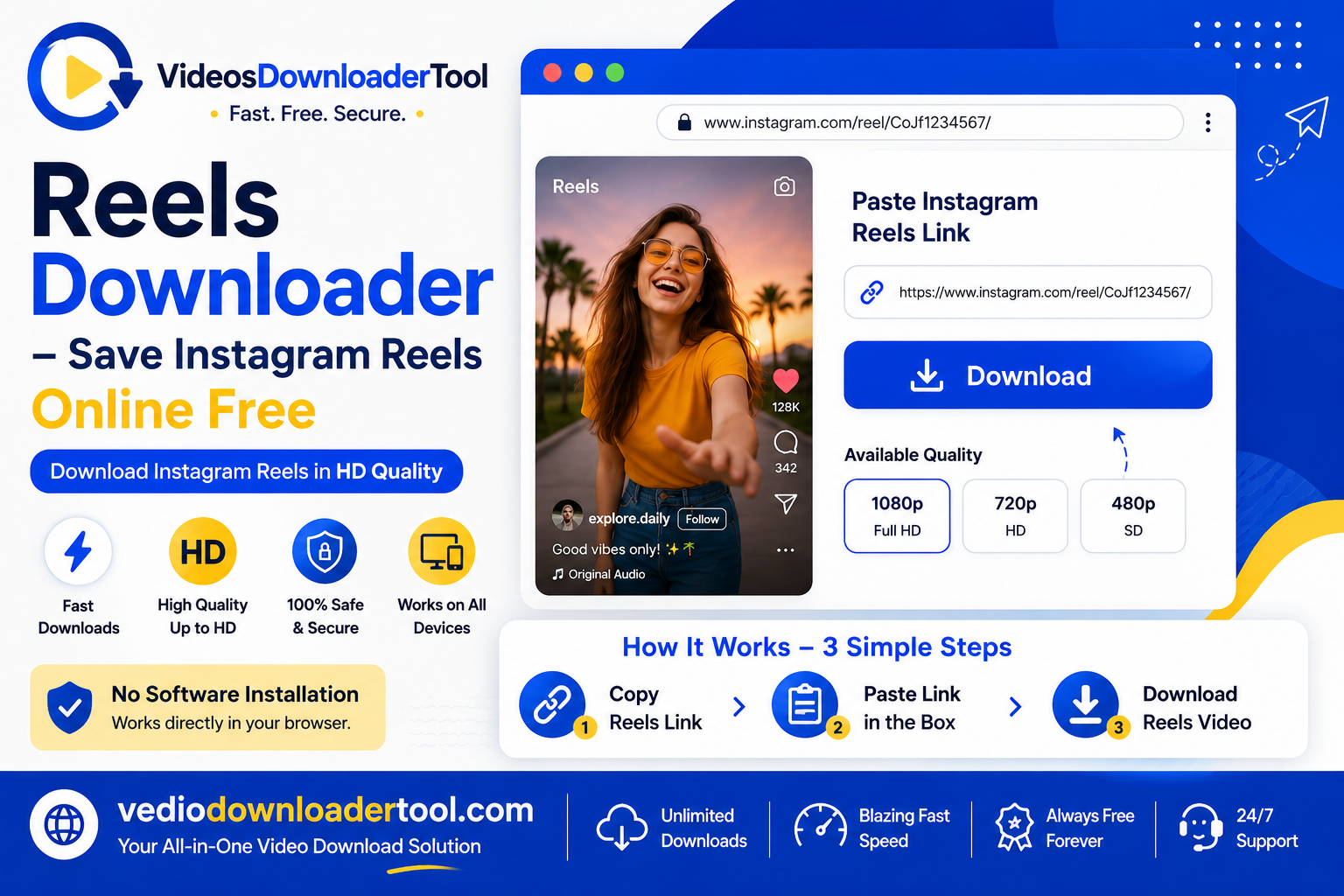
Found a Reel worth keeping — a recipe, a workout, a travel clip — and realized Instagram’s bookmark icon only saves it inside the app, not to your phone? That mismatch is exactly why “Reels downloader” is such a common search. Instagram’s Save button builds you a tidy collection, but it doesn’t give you an actual video file you can watch offline, edit, or move somewhere else.
This guide explains what a Reels downloader actually does, how the process works, and how to use one responsibly — sticking to public content and respecting what creators have and haven’t allowed. If you just want to save a Reel right now, VideosDownloaderTool.com handles it directly in your browser.
Quick Answer
A Reels downloader is an online tool that saves a public Instagram Reel as an MP4 file you can keep on your device. You paste the Reel’s link, the tool retrieves the video, and you download it — no app or login required.
What Is a Reels Downloader?
A Reels downloader is a web-based tool that converts a public Instagram Reel’s link into a downloadable video file. Its purpose is simple: give you an actual copy of the video rather than just a bookmark that only works inside the Instagram app.
People reach for one when Instagram’s own “Save” or “Download” option isn’t available — either because the creator hasn’t enabled downloads for that Reel, or because they want a file they can use outside Instagram entirely, like in a video editor or a slideshow. Instagram itself has rolled out a native download button for some public Reels, but it only appears when the creator has specifically allowed downloads in their settings — so a browser-based tool fills the gap when that option isn’t there.
The limitation worth knowing: this only works for public Reels. Private accounts control who sees their content for a reason, and no legitimate tool can or should get around that. It’s also worth remembering that saving a Reel for personal offline viewing is a different thing from reposting someone else’s work as your own — the second one is where copyright and creator rights actually come into play.
How Does a Reels Downloader Work?
In short: you copy the Reel’s link, paste it into the tool, and it fetches the video file for you to download.
Here’s the mechanism behind it. Every Reel has a unique URL, something like instagram.com/reel/AbC123XyZ. That link points to metadata Instagram stores about the post, including where the video itself is hosted. A downloader tool reads the link, requests the video data, and returns it as a standard MP4 file — often with a quality option if more than one resolution is available.
Everything happens through your browser, so there’s nothing to install. Once the download starts, your browser handles the file the same way it would any other download — landing in your Downloads folder, ready to open or move wherever you need it.
How to Use the Reels Downloader
- Open Instagram and find the Reel you want.
- Tap the three-dot menu or the paper airplane Share icon.
- Select Copy Link.
- Go to VideosDownloaderTool.com.
- Paste the link into the input box.
- Click Download.
- Choose your preferred video quality.
- Save the file to your device.
The whole process takes under a minute once you’re used to it.
Features of Our Reels Downloader
- Free to use — no subscription, no login
- No software installation — works entirely in the browser
- Fast downloads — most links process in a few seconds
- HD support — full resolution where the source allows it
- Multiple quality options — pick based on what you need
- Mobile and desktop friendly — same tool, same steps everywhere
- Browser-based and secure — nothing installed on your device
- Clean file output — no forced watermark overlay
Benefits of Using a Reels Downloader
The biggest advantage is simply having a real file instead of a bookmark buried in a collection you’ll forget about. That means offline access on a flight or a spotty connection, a permanent copy if the creator ever deletes the post, and the flexibility to use the clip in an editing project, a class presentation, or a personal reference library. Because it’s browser-based, none of this depends on which device you’re using — the same steps work on a phone in the school library or a laptop at home.
Common Reasons People Download Instagram Reels
- Cooking and recipe tutorials
- Fitness routines and workout demos
- Travel inspiration and itinerary ideas
- DIY and home project walkthroughs
- Marketing and content examples for research
- Creative reference for design or editing work
- Simply wanting offline access later
Supported Devices and Browsers
| Device / OS | Chrome | Firefox | Safari | Edge |
| Windows | ✅ | ✅ | — | ✅ |
| macOS | ✅ | ✅ | ✅ | ✅ |
| Linux | ✅ | ✅ | — | ✅ |
| Android | ✅ | ✅ | — | ✅ |
| iPhone / iPad | ✅ | ✅ | ✅ | ✅ |
If a download doesn’t save the way you expect on an iPhone, it’s usually worth checking your iOS version — Apple’s support site covers how file downloads and storage permissions work across iOS updates.
Common Problems and Solutions
Invalid Reel URL. Make sure you copied the link using Instagram’s Share → Copy Link option rather than typing an address manually.
Slow downloads. Usually a connection issue rather than a tool problem — switching between Wi-Fi and mobile data often helps.
Private Reels. Content from private accounts isn’t accessible through any online tool, and that’s Instagram’s privacy controls working as intended.
Deleted Reel. If the original post has been removed, there’s no way to retrieve it — the video no longer exists on Instagram’s servers.
Browser download prompts. Some browsers ask for permission before saving a file. Look for a small notification bar or popup.
Interrupted downloads. If your connection drops mid-download, just refresh the page and try again.
Best Practices When Downloading Reels
- Stick to public Reels, or content the creator has clearly made available.
- Use a secure, stable connection rather than unsecured public Wi-Fi.
- Choose a quality level that fits your actual use — HD for editing, a smaller file for quick reference.
- Keep saved Reels organized in labeled folders if you download regularly.
- Keep your browser updated, since outdated versions can behave inconsistently with downloads.
Reels Downloader vs. Other Download Methods
| Feature | VideosDownloaderTool | Browser Extensions | Mobile Apps | Screen Recording |
| Installation | None | Extension install | App install | None |
| Speed | Fast | Fast | Varies | Slow (real-time) |
| Video quality | Original file | Original file | Original file | Re-encoded, lower quality |
| Works on mobile | Yes | Limited | Yes | Yes, but clunky |
| Login required | No | Sometimes | Sometimes | No |
| Security concerns | Low | Depends on extension | Depends on app source | Low |
Screen recording will always include Instagram’s interface and any watermark shown on screen, plus a quality drop from re-encoding. Mobile apps and browser extensions can work well, but they often ask for more permissions than a simple browser-based tool needs — worth checking reviews and permissions before installing either.
Frequently Asked Questions
Is a Reels Downloader free? Yes, VideosDownloaderTool.com is free with no account or subscription needed — just paste the link and download.
Can I download Instagram Reels in HD? Yes, when the original Reel has a higher-resolution version available, the tool offers that as a download option.
Is downloading Instagram Reels legal? Saving a public Reel for personal, offline viewing is generally fine. Reposting someone else’s content as your own, especially for commercial use, is where creator rights and copyright come into play — always credit or ask when in doubt.
Can I download private Reels? No. Private account content is restricted by design, and no online tool can or should bypass that.
Does the downloader work on mobile? Yes, it works the same way on a phone browser as it does on desktop — no app required.
Which browsers are supported? Chrome, Firefox, Safari, and Microsoft Edge all support the same paste-and-download process.
What file formats are available? Reels download as standard MP4 files, playable on virtually any device or editing software.
Why isn’t my Reel link working? Usually it’s an incomplete link, or the Reel has been deleted or set to private since you saw it.
Can I use the tool without installing software? Yes — the entire process runs in your browser tab, with nothing to install.
Is my data safe while downloading? The tool only needs the public Reel link you provide. It doesn’t ask for your Instagram login or account access.
Final Thoughts
A Reels downloader fills a real gap — Instagram’s own bookmark feature keeps things inside the app, but sometimes you actually need the file. Used responsibly, on public content, it’s a straightforward way to build an offline library, back up something you don’t want to lose, or pull a clip into your own creative work.
Give VideosDownloaderTool.com a try next time a Reel is worth keeping — and if you save clips from other platforms too, it’s worth checking out the other downloader tools available on the site.
If you’re looking for another online video downloading solution, you can also explore SaveFrom. It offers browser-based downloading for supported platforms without requiring software installation. Compare its features with VideosDownloaderTool to choose the option that best fits your needs.
Leave a Reply