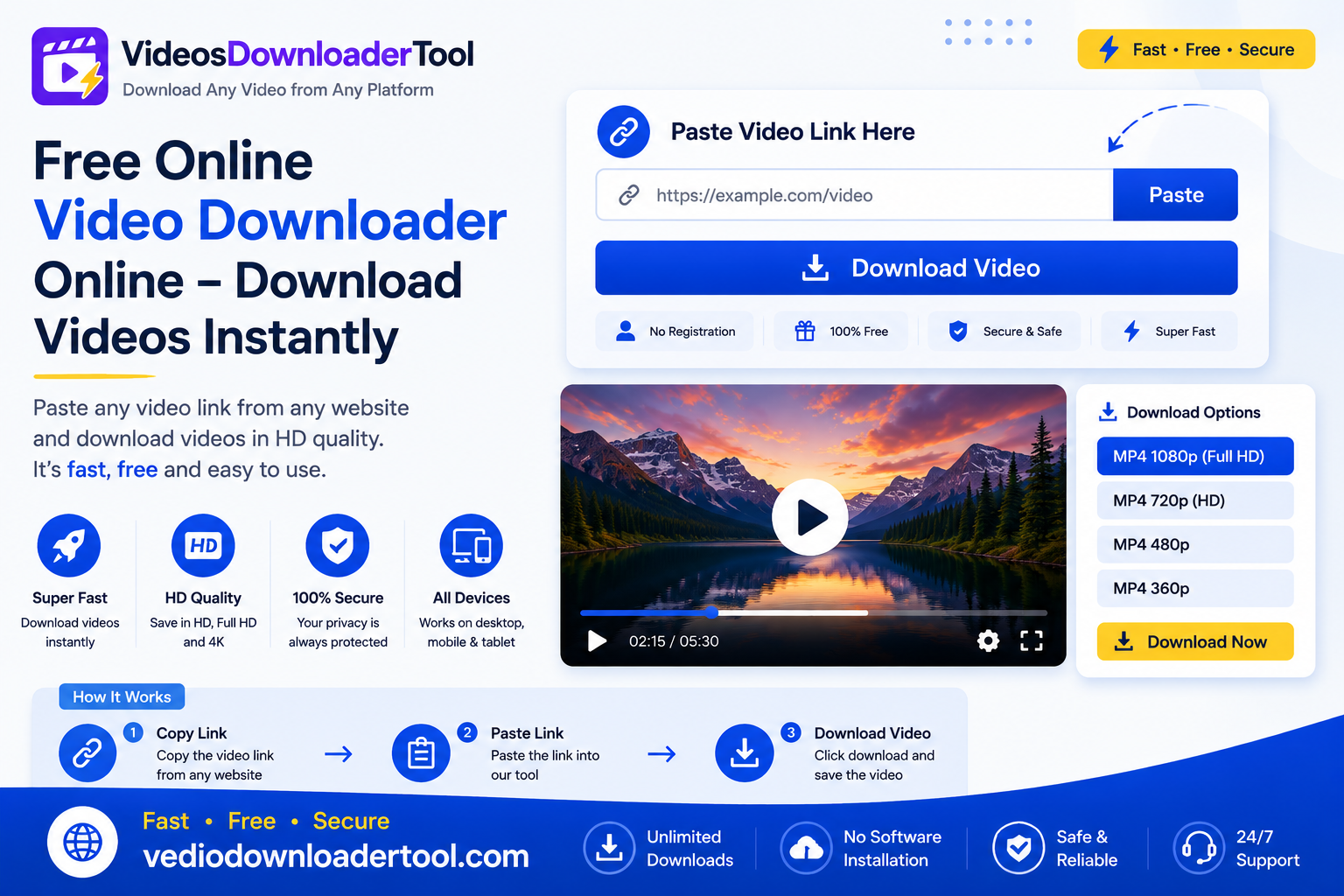
Watching a video, on the internet is easy.. Keeping a copy of the video for later is not always easy because most websites do not have a button that lets you download the video. This is where an online video downloader comes in. It is a tool that you can use in your browser to turn a video link into a file that you can save on your computer.
Students use an online video downloader to keep videos of their classes marketers use it to save their own videos teachers use it to make a collection of videos for their lessons that they can watch offline and people who use the internet every day just want to be able to watch videos without worrying about their internet connection. A free online video downloader works completely in your browser you do not have to install anything. You do not have to pay for it.
This guide breaks down exactly what a free online video downloader is, how it works, how to use VideosDownloaderTool step by step, and what to keep in mind about supported platforms, devices, and copyright along the way.
Quick Answer
A free online video downloader is a browser-based tool that converts a video’s URL into a downloadable file, typically MP4, without requiring software installation or payment. You paste the link, choose a quality option, and download — as long as the video is publicly available and downloading is permitted.
What Is a Free Online Video Downloader?
In short: it’s a web tool that takes a video’s link, processes the underlying video data, and lets you save it as a file on your device — no cost, no software, and no account required.
Most video platforms are built for streaming, not saving. A free online downloader fills that gap by reading the public video stream tied to a URL and repackaging it into a standard file format like MP4.
Typical use cases:
- Saving a public tutorial or explainer video for offline reference.
- Archiving your own promotional or personal videos that were posted but never saved locally.
- Keeping a copy of a public livestream for later viewing.
Limitations to keep in mind:
- Only publicly accessible videos can be processed — private or restricted content isn’t retrievable.
- Some platforms limit downloading through their own terms of service.
- Being technically able to download a video doesn’t grant you rights to redistribute it. Copyright still applies regardless of how the file was obtained, so stick to content you own or have permission to use.
How Does an Online Video Downloader Work?
you copy a video’s URL, paste it into the tool, the tool fetches the video’s available information, you choose a quality, and then download the file — typically an MP4, ready in under a minute.
Here’s the process step by step:
- Copy the video URL — from the address bar or a share/copy-link option.
- Paste the URL — into the downloader’s input field.
- Fetch video information — the tool checks what resolutions and formats are actually available.
- Choose video quality — pick the resolution that fits your needs.
- Download the file — saved directly to your device, usually as MP4.
Because this all happens in-browser, it works consistently across Chrome, Firefox, Edge, and Safari, and on both desktop and mobile devices, without needing to install anything extra.
How to Use VideosDownloaderTool
- Copy the video’s URL.
- Visit VideosDownloaderTool.com.
- Paste the URL into the input box.
- Click Download.
- Select your preferred video quality.
- Save the file to your device.
That’s the entire process — no account, no software, no waiting around.
Features of Our Online Video Downloader
- Free to use, with no hidden charges for standard downloads.
- Browser-based — no software or extension installation required.
- No registration — no email or account needed.
- Fast downloads, typically completing in seconds.
- HD quality support for videos originally uploaded in high resolution.
- Multiple resolutions to balance quality against file size.
- MP4 support, ensuring broad device and media player compatibility.
- Mobile friendly design that works smoothly on phones.
- Desktop compatible across Windows, macOS, and Linux.
- Secure processing with no unnecessary data retention.
- Easy-to-use interface — paste, choose, download.
Benefits of Using a Free Online Video Downloader
- Offline viewing — no need for an active internet connection to rewatch a saved video.
- Faster access — skip searching for the same video twice.
- High-quality downloads — pick the resolution that suits your actual use case.
- Works across devices — download once, use anywhere.
- Saves time — a few clicks instead of a multi-step manual process.
- Easy workflow — no learning curve required.
- No software required — nothing extra to install, update, or manage.
- Convenient for education — build an offline library of instructional content.
- Useful for business presentations — run videos locally without depending on streaming.
- Helpful for research — archive publicly available content for reference or study.
Supported Video Platforms
VideosDownloaderTool supports downloading publicly available videos, where permitted, from major platforms including YouTube, Facebook, Instagram, TikTok, Vimeo, Twitter/X, Pinterest, and Dailymotion.
The ability to download a video always depends on the rules of each website and the privacy settings of the video. Public videos are usually easy to download. Private videos or videos that need a login are not. This rule applies the same for every website that has the video.
If you frequently download from a specific platform, VideosDownloaderTool also offers dedicated tools tailored to that site’s link structure and quality options, which can streamline the process even further.
Supported Devices and Browsers
VideosDownloaderTool is built to work consistently across common devices and browsers, since the entire tool runs in-browser rather than through installed software.
Devices: Windows, macOS, Linux, Android, iPhone
Browsers: Chrome, Firefox, Edge, Safari
| Device/Browser | Supported | Experience |
| Windows | Yes | Full desktop support |
| macOS | Yes | Smooth performance |
| Linux | Yes | Works via any modern browser |
| Android | Yes | Mobile-optimized, saves to device storage |
| iPhone | Yes | Browser-based, may prompt to save to Files |
| Chrome | Yes | Recommended for best performance |
| Firefox | Yes | Fully supported |
| Edge | Yes | Fully supported |
| Safari | Yes | Fully supported |
Common Problems and Solutions
Invalid URL Double-check that you’ve copied the complete link directly from the address bar or share option, not a shortened or partial version.
Slow downloads Usually tied to your internet connection or the size of the source video rather than the tool itself — try a stronger connection.
Unsupported videos Some platforms restrict downloading through their own terms of service, which can limit what’s technically retrievable.
Private videos Private or restricted content isn’t accessible, since the tool only works with publicly viewable links.
Browser cache issues Clear your cache or update your browser if the page isn’t loading correctly.
Internet connection problems Switch to a more stable network, especially for larger or higher-resolution files.
Download interruptions Restart the download once your connection is stable; larger files are more prone to interruption on unreliable networks.
Mobile browser issues Make sure your mobile browser is updated to the latest version, and check that your device has enough storage available.
Best Practices When Downloading Videos
- Respect copyright and only download content you own or have explicit permission to save.
- Stick to publicly available or clearly authorized videos.
- Use a secure, private internet connection when downloading, especially on public Wi-Fi.
- Keep your browser updated for the best performance and security.
- Choose a video quality that matches your actual need rather than defaulting to the largest file every time.
- Keep downloaded files organized in clearly labeled folders.
VideosDownloaderTool vs Other Download Methods
| Feature | VideosDownloaderTool | Browser Extensions | Desktop Software | Screen Recording |
| Speed | Fast, near-instant processing | Fast, but tied to extension updates | Varies, often slower setup | Slow — real-time only |
| Ease of Use | Very easy, no install | Moderate — requires install and permissions | Harder — installation and setup steps | Easy but manual |
| Installation | None required | Browser extension required | Full software install required | Built-in OS tool, no install |
| Quality | Matches source resolution | Matches source resolution | Matches source resolution | Limited by screen resolution |
| Convenience | High — works anywhere, any device | Moderate — tied to one browser | Low — desktop only | Moderate — needs manual timing |
| Security | No extension permissions needed | Requires granting browser access | Risk from untrusted installers | No third-party access needed |
| Device Compatibility | Works across all major devices/browsers | Limited to supported browsers | Limited to installed OS | Works on any screen, but manual |
Frequently Asked Questions
1. Is this online video downloader free?
Yes, VideosDownloaderTool is completely free for standard downloads, with no account, subscription, or hidden fees required.
2. Can I download HD videos?
Yes, as long as the original video was uploaded in HD. The tool shows you the resolution options actually available for that specific video.
3. Which video platforms are supported?
You can usually watch videos from YouTube, Facebook, Instagram, TikTok, Vimeo, Twitter, Pinterest and Dailymotion. These videos are available, to the public. The thing is, it depends on what each platform allows. YouTube has its rules Facebook has its own rules and so on. So YouTube videos are supported Facebook videos are supported Instagram videos are. The same goes for TikTok videos, Vimeo videos, Twitter videos, Pinterest videos and Dailymotion videos.
4. Can I download videos on my phone?
Yes. The tool works directly through your phone’s browser on both Android and iOS, with files saving to your device’s storage or gallery.
5. Is downloading videos legal?
It depends on the content and your rights to it. Downloading your own videos or content you have explicit permission to save is fine. Downloading and redistributing someone else’s copyrighted content without authorization is not, and may violate copyright law or a platform’s terms of service.
Conclusion
You can easily download videos from the internet for free. This means you can watch videos without being connected to the internet. VideosDownloaderTool is a website that lets you do this. It works on computers and phones and you can use it with any web browser. You can even get quality videos.
The best way to use a video downloader is to be careful about what you download. Only download videos that you own or that someone has said you can download. Some videos are public. It is okay to download them for your own use. If you do this you can watch videos without being connected to the internet. You will not get in trouble for copyright issues.
If you want to try VideosDownloaderTool you can go to VideosDownloaderTool.com. Download a video for free. It only takes a seconds. If you often download videos from the website you should check out the other tools they have. They might be more helpful, for you.
- You can use VideosDownloaderTool on devices
- It works with all web browsers
- You can get quality videos for free
- Just go to VideosDownloaderTool.com to get started with VideosDownloaderTool.
If you’re looking for another online video downloading solution, you can also explore SaveFrom. It offers browser-based downloading for supported platforms without requiring software installation. Compare its features with VideosDownloaderTool to choose the option that best fits your needs.
Leave a Reply